
Contact Management
The Contact Management module manages all individual stakeholders associated with accounts, enabling detailed tracking of communication, roles, and relationships within an organization.
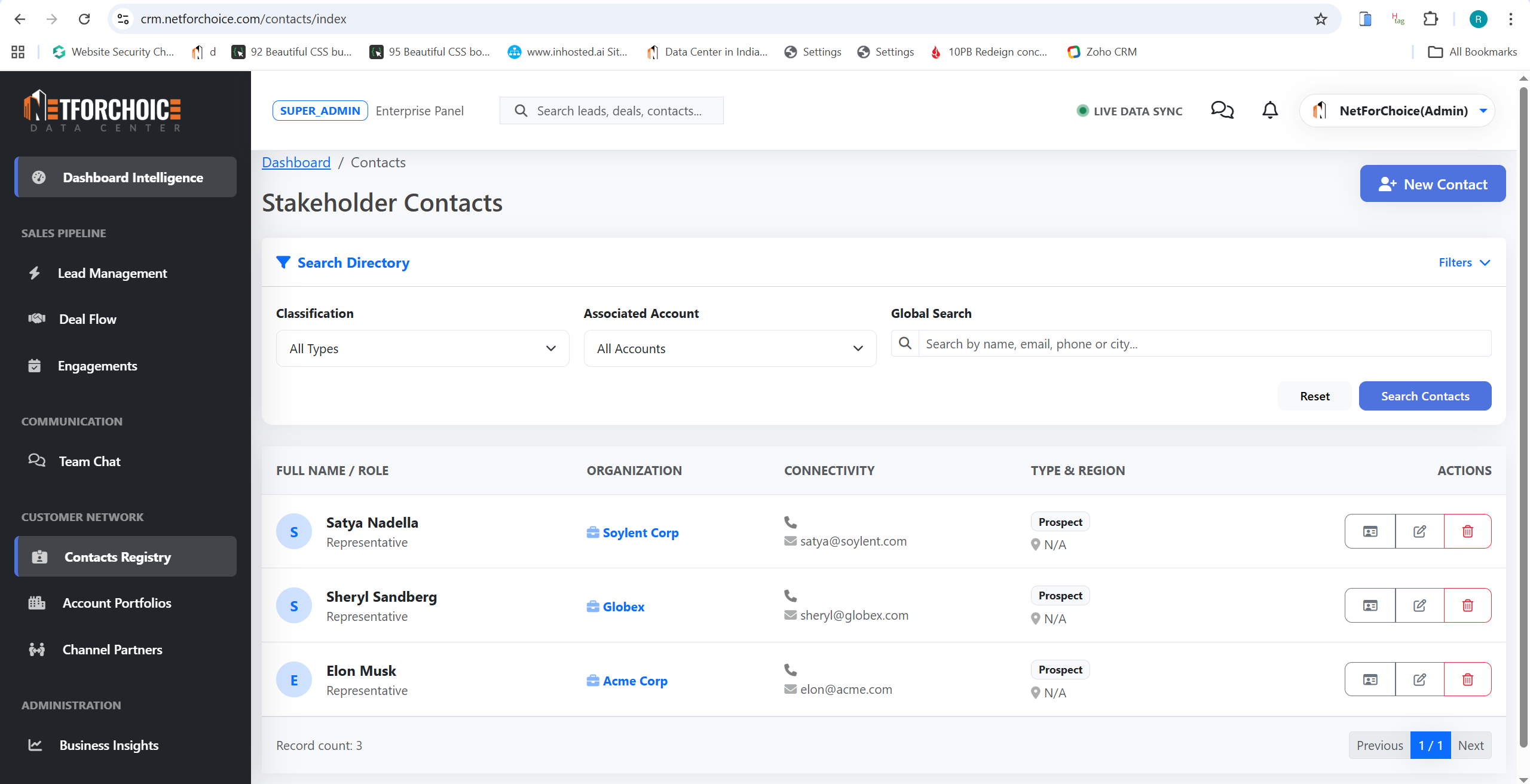
Each contact represents a real person—such as decision-makers, managers, or influencers—linked to an account. This allowing sales teams to maintain personalized communication and build stronger relationships at an individual level.
👤 Key Capabilities
Profile Management
Store name, email, phone, designation, and company association for every stakeholder.
Communication Trail
Track all interactions such as calls, emails, and meetings for each individual contact.
- Account Association: Link contacts to their respective accounts for a structured hierarchy.
- Role Identification: Identify decision-makers, influencers, or technical contacts within organizations.
- Search & Filtering: Quickly find contacts by company, role, or activity status.
⚙️ Contact Workflow
Onboard New Contacts
Create or import contacts into the system Registry.
Map to Account
Associate contact with their relevant organization.
Track Engagement
Log all interactions and maintain a complete relationship timeline.
Identify Decision-Makers
Prioritize engagement based on the contact's role within the deal.
📋 Detailed Field Explanations
| Field Name | Description & Usage |
|---|---|
| First Name & Last Name | The personal identity of the stakeholder. Used to personalize communications and track relationships. |
| Email & Phone | Direct contact information for the individual. Crucial for marketing campaigns and sales follow-ups. |
| Company Name | The organization this contact represents. (Note: Many contacts can belong to the same company). |
| Designation | The contact's job title (e.g., CTO, Procurement Manager). Helps identify decision-makers versus influencers. |
| Location | The geographical location of the contact for territory management. |
| Contact Type | Categorizes the relationship status: Lead (potential), Customer (closed won), or Partner (channel). |
| Lead Source & Status | Where the contact originated (e.g., Website, Cold Call) and their current qualification status. |
| Expected Value & Target Close | Estimates the potential deal size and when it might close, helping to prioritize engagement. |
| KAM & TL | The Key Account Manager and Team Leader currently assigned to own the relationship with this contact. |